 Power Viewer
eCTD viewing application
Simple by Design.
Powerful in Action.
Power Viewer is a desktop application for viewing eCTD submissions. From fully offline use in your local environment to cloud integration with SharePoint and Veeva Vault, you stay in control of where your data lives.
- eCTD v3.2.2 support
- eCTD v4.0 support
- Up and running with just an install
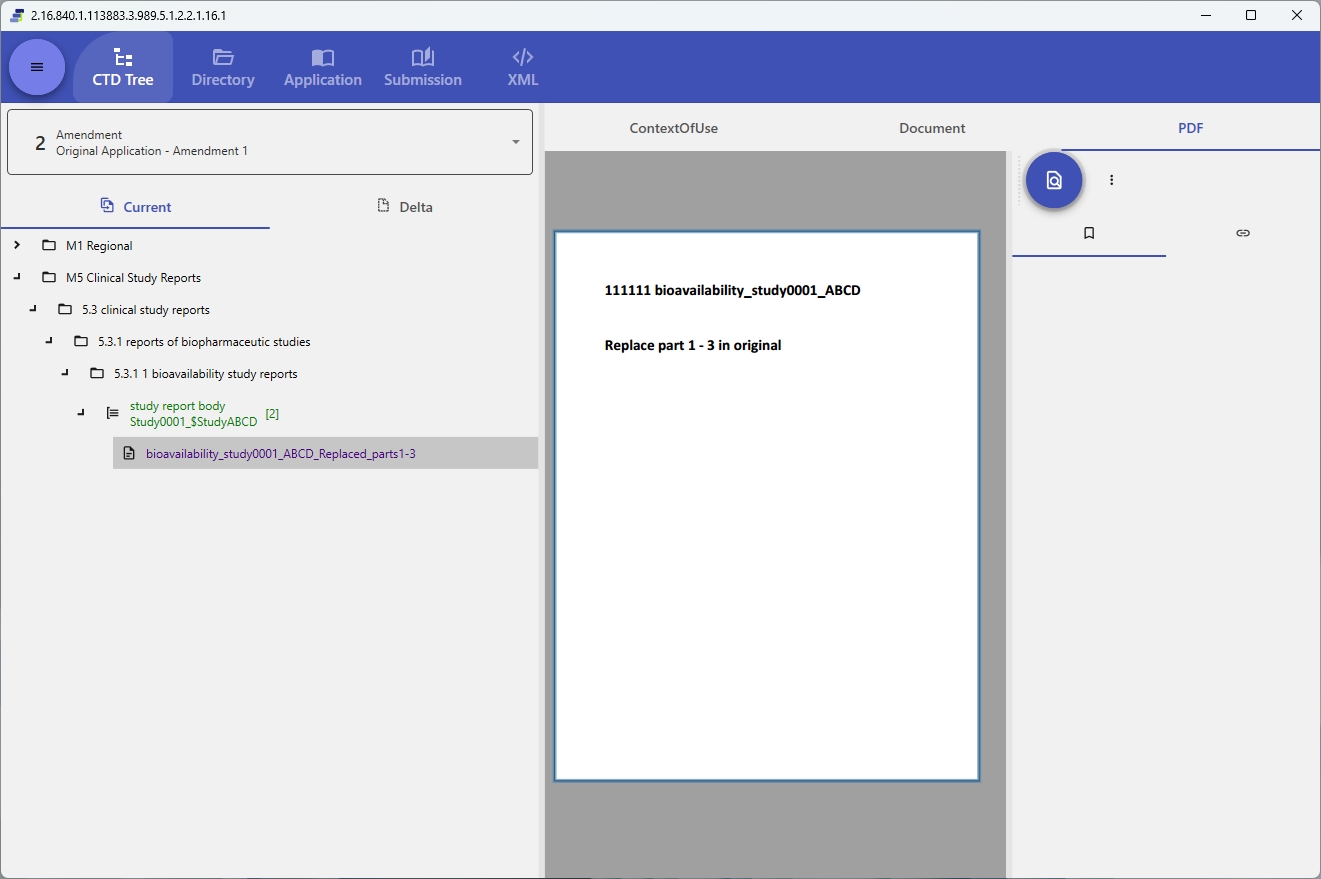
Features
Why Power Viewer
A viewer built for the field, born from real-world practice.
Secure and fully local
A desktop application, not a web app. Your eCTD files are never uploaded to our servers — confidential documents stay under your control at all times.
Easy to deploy, easy to run
After installing, just select your eCTD folder. No server setup or database registration required, keeping the load on your IT department to a minimum.
Cloud storage integration
API integration with SharePoint, Google Drive, Box and Veeva Vault. View eCTD in the cloud directly, without downloading it.
Compatibility
Every version, every region
Supports both ICH eCTD v3.2.2 and v4.0, with display conforming to each region's stylesheet.
ICH eCTD v3.2.2
In addition to display conforming to each region's stylesheet, a v4.0-like display is also available.
- FDA
- EMA
- PMDA
- Health Canada
- Swissmedic
- TGA
- NMPA
- TFDA
- HSA
- MFDS
- SAHPRA
- FDA Thailand
ICH eCTD v4.0
v4.0 ships with no official stylesheet, but Power Viewer's own optimized views — tree, directory and metadata — still let you grasp the structured data intuitively.
Deployment
Choose where your data lives, to match your policy
The album database that your organization shares submission data through can live in three places: an internal shared folder, the cloud we operate, or your own server. Share across sites, or keep every byte inside your walls — the same Power Viewer does both. Rolling out settings takes a single group policy file: license keys, connections and offline mode apply to every employee automatically, so they can start right after installation.
- Choose a shared folder, our cloud, or your own server
- Share settings across your company and group companies
- Automatic application of initial settings
- No limit on the number of users
Diagrams show how the three pieces connect, which environments each one can be placed in, and three representative deployment patterns. See system layout & where things live →
HTML Export
Convert an eCTD into a form that opens in nothing but a browser
Power Viewer writes a loaded eCTD application out as a set that opens in a browser alone, copying the referenced documents alongside it in the same folder structure. No server and no application are involved: you can follow it from the table of contents down to the documents. Both eCTD v3.2.2 and v4.0 are supported.
-
Every loaded sequence
Not just the sequence you have selected — every sequence you have loaded is exported. You can switch between them in the output, and on v4.0 compare Current against Delta.
-
Documents included
Files are copied in the same folder structure as the submission, so cross-references inside PDFs and XML keep working.
-
No external requests
The output references nothing outside itself. Open it on an offline PC, or drop it on an internal shared folder — it just works.
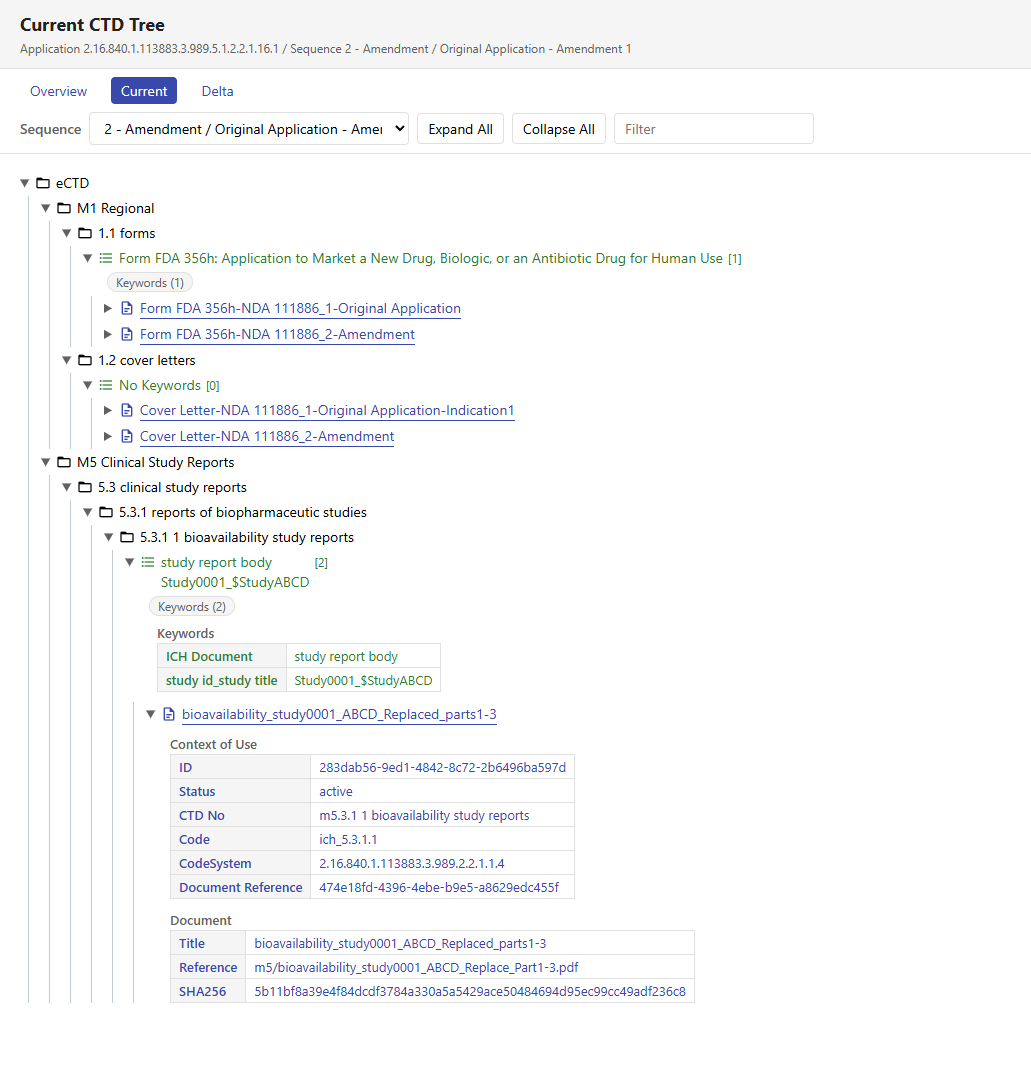
The sample was exported by Power Viewer from a dummy eCTD we built ourselves; no real submission data is included. Note also that the HTML output is a deliberately simple rendering, limited to what works as a static page. Power Viewer itself shows the same eCTD with considerably more information. HTML export is a Business plan feature.
Get Started
Give it a try
You can download right now, with no need to contact us.